


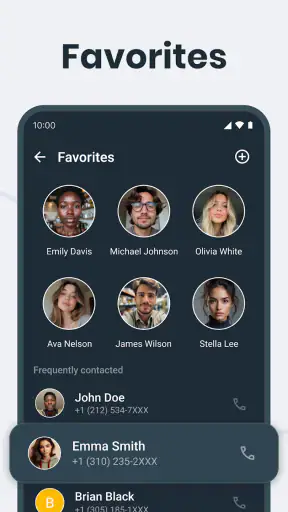
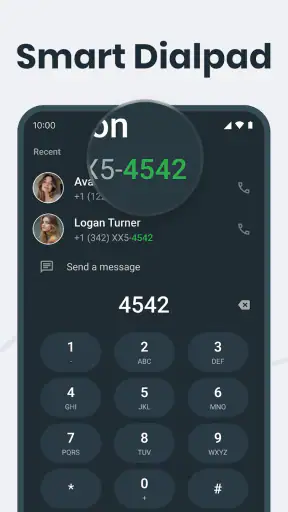
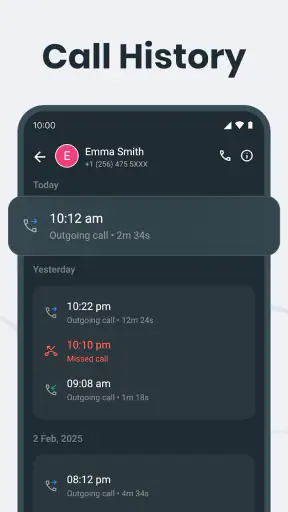
I spend more time than I would like dealing with unwanted calls, unfamiliar numbers, and the small interruptions that make a phone feel less useful. Phone Call, a free tools app from Call Log Manager, takes a focused approach to that problem by bringing caller identification, call blocking, and call-handling features into one place. After using it as a practical phone companion, I found that its appeal is less about flashy extras and more about reducing the effort involved in deciding which calls deserve my attention.
The app is suitable for Everyone, works on Android devices running version 7.0 or later, and has reached more than five million installs. Its average score sits at 4.2 from roughly twenty-two thousand ratings, which suggests that plenty of people find the basic idea useful while still leaving room for individual differences in expectations. I would describe it as a sensible option for someone who wants more control over incoming calls without immediately replacing the phone features already built into the operating system.
How Phone Call feels in everyday use
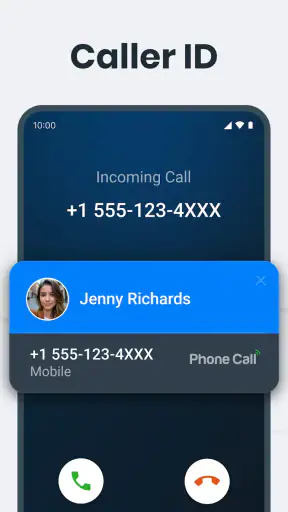
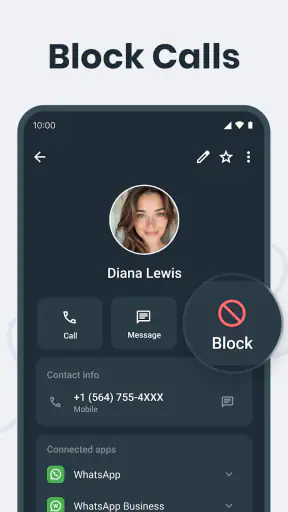
The first thing I noticed is that the app is built around a simple question: should I answer this call? Caller ID helps provide context, while blocking tools let me stop repeated interruptions from numbers I do not want to deal with. That combination is more useful than either function on its own. Identifying a number without an easy way to act on the result leaves the decision unfinished; blocking without context can make it too easy to reject a legitimate caller.
In practice, I found the app most helpful during busy periods when I could not afford to investigate every ring. A call from an unknown number might be a delivery driver, a service provider, or an unwanted sales attempt. Having caller information available before answering gives me a moment to make a better choice. If a number keeps returning and clearly has no value to me, the blocking side turns that repeated annoyance into a one-time decision.
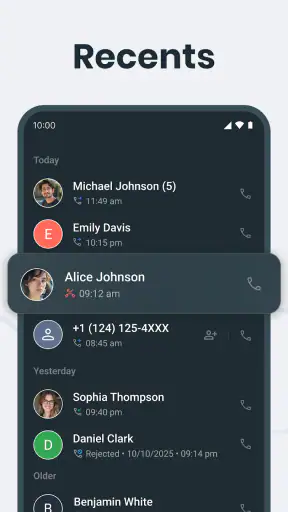
The experience is also useful for people who receive calls on a shared or secondary phone. A family member who is less comfortable judging unfamiliar numbers can use the app as an extra layer of guidance. Likewise, anyone who keeps their phone on silent or relies on missed-call notifications can use the call history more deliberately instead of returning every unknown number automatically.
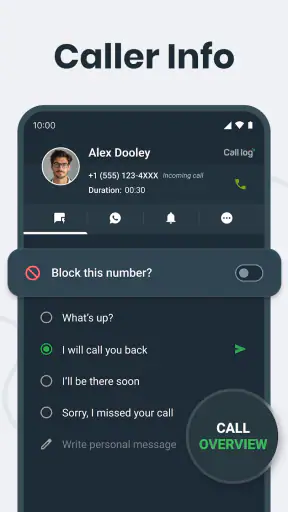
The strongest part of Phone Call is the connection between recognition and action. It is not merely a directory-style tool and it is not only a blacklist. Its value comes from helping me move from “Who is calling?” to “What should I do about this number?” with less hesitation.
A realistic routine for unwanted calls
Imagine receiving several calls during a work meeting. I would not want to interrupt the meeting for each one, but I would still want to know whether the calls appear connected to something important. Afterward, I could review the call activity, identify patterns, and decide whether a number deserves a return call or a block. That workflow is more practical than making a rushed decision every time the phone rings.
There is a useful habit hidden in that routine: avoid blocking a number simply because it is unfamiliar. I prefer to check whether the caller ID gives me enough context first, then use blocking only when the pattern justifies it. This matters because legitimate calls often come from numbers I have not saved, especially when dealing with appointments, deliveries, schools, or local services.
Another practical use is separating temporary nuisance from a number I genuinely need to keep available. If a caller contacts me once at an inconvenient time, I can leave the number alone and return to it later. If the same caller repeatedly interrupts without leaving a useful reason, blocking becomes a measured response rather than an impulse.
What the current release tells me
Phone Call is currently at version 1.19, and it was released on April 7, 2025. Those details place the app in a relatively recent stage of its development rather than making it feel like an abandoned utility. I see the current version as evidence that the developer is presenting a maintained product, but I would not treat a version number by itself as proof that every phone model will behave identically.
The app’s current identity is clear: it is a call-management tool, not a replacement for the entire phone system. That distinction is important when deciding what to expect. I would install it for caller ID and blocking, then judge it by how smoothly those tasks fit into my normal calling habits. I would not choose it expecting a full communications suite, a messaging platform, or a complete contact-management system.
Because the app supports Android 7.0 and newer, it can serve people using older devices as well as those with recent phones. That broad compatibility is convenient, particularly for households that do not upgrade all their devices at the same time. At the same time, older Android versions can differ in how they handle background activity and call-related controls, so I would test the app with a few normal calls after installation rather than assuming every setting will behave exactly as it does on a newer phone.
The product’s evolution is best understood through its direction rather than through a long list of claimed changes. The current release brings together the central tasks people actually want from a call utility: recognizing callers, stopping unwanted numbers, and making phone activity easier to manage. That is a focused foundation. Whether future releases make the controls clearer or broaden the smart features will matter more to me than simply adding a larger number of options.
How existing users may notice the difference
Someone moving to the current version from an earlier installation should begin by checking the app’s call-related settings and reviewing any numbers they have already chosen to block. I would not assume that a change in version automatically preserves every personal preference in exactly the same way. A quick review is worthwhile because blocking is only helpful when it reflects current needs.
Existing users may also benefit from changing their routine. Instead of treating the app as something to open only after a suspicious call, I would use it as a decision tool: check unfamiliar activity, keep useful numbers identifiable, and reserve blocking for repeat problems. This makes the app feel less reactive. It becomes a small part of how I manage phone interruptions rather than a last resort after an unwanted conversation.
The update path also raises an important trade-off. A newer release can improve the overall experience, but call-management apps depend on the surrounding Android environment. If the app behaves differently after an update, the first thing I would check is whether the phone’s own call settings, notification behavior, or battery controls are affecting it. That does not mean the app is unsuitable; it means phone tools work at the intersection of two systems.
For a person already satisfied with the default dialer, Phone Call may not feel transformative immediately. Its benefits become clearer when the built-in experience leaves too much manual work. If I rarely receive unknown calls, never need to block numbers, and already recognize everyone in my call history, adding another tool may not justify the extra setup. The app is aimed more at recurring call-management friction than at people whose phone habits are already effortless.
Where it fits beside the usual alternatives
The obvious alternative is the phone app that came with the device. That option has one major advantage: it is already integrated into the handset, so there is usually less configuration and less switching between tools. For someone who only needs basic call history and occasional manual blocking, the default option may be enough.
Phone Call makes more sense when I want a more deliberate layer for caller recognition and unwanted-call decisions. Its dedicated purpose can make those controls easier to find and easier to use repeatedly. The trade-off is that I am adding another app to a task Android already handles at a basic level. I would choose it when the extra organization saves me time, not simply because a separate app exists.
Another alternative is a contact-focused app. That can be better for someone whose main concern is keeping names, numbers, and address-book details organized. Phone Call is more appropriate when the immediate problem is incoming call judgment and blocking. The two needs overlap, but they are not identical. I would not use a call blocker as my primary contact manager, and I would not expect a contact organizer to provide the same focused response to repeated nuisance calls.
There is also a privacy and simplicity trade-off with any caller-identification service. I prefer to understand what information the app needs to perform its functions and to review the permissions shown during setup. If I am uncomfortable granting the access required for call management, I would stay with the phone’s built-in controls. A convenient caller ID is not worth compromising my comfort with how the phone is configured.
Small workflows that make the app more useful
One of my favorite practical approaches is to treat the block list as a carefully maintained tool rather than a dumping ground. Before adding a number, I ask whether the problem is likely to repeat and whether I might need the caller later. This avoids a common mistake: blocking a legitimate number during a moment of irritation and then forgetting why an important call never arrives.
A second useful workflow is to review unfamiliar calls in batches. Instead of searching every number immediately, I can wait until I have time to look at the recent activity with a clear head. That reduces distraction and makes patterns easier to notice. A single unknown call may be harmless; several calls with similar timing or behavior may deserve a stronger response.
A third tip is to use caller identification as a prompt for better contact organization. When I recognize a legitimate caller, saving the number under a clear name prevents the same uncertainty later. Phone Call can help me decide what a number means today, while my contacts can make the next call easier. That division of labor keeps the app from becoming a substitute for basic phone housekeeping.
For people who receive calls while working, studying, or caring for family, I would also establish a simple rule before an interruption happens. For example, answer known personal contacts immediately, allow unfamiliar calls to wait unless they repeat, and block only numbers that have become a clear nuisance. The app supports that kind of personal policy, but the policy itself still needs to come from me.
The gaps I would consider before installing
Phone Call is not the right choice for everyone. If I want an all-in-one communications app with extensive messaging, video calling, or advanced contact features, this focused utility will feel limited. Its strength is the narrow problem it addresses, and that same focus means it should not be judged as a replacement for every phone-related tool.
I would also be cautious if my phone already has excellent caller identification and blocking built into its manufacturer software. In that situation, the extra app could duplicate controls rather than improve them. Before installing, I would compare the two experiences: can the built-in dialer identify suspicious calls, block repeat numbers, and let me review call activity comfortably? If the answer is yes, Phone Call needs to offer a noticeably smoother routine to earn its place.
Another point of friction is the need to make decisions responsibly. Automated or smart call features can reduce effort, but no caller-identification system should be treated as infallible. A label or unfamiliar number is a clue, not absolute proof of intent. I would still use common sense, especially when a call involves money, account access, urgent claims, or requests for personal information.
Older devices may also require more patience during setup and testing. Since the app supports Android 7.0 and later, compatibility is broad, but the phone’s own software can influence notifications and call behavior. I would place a test call, check what appears in the call history, and confirm that blocking works as expected before relying on it during an important period.
What I would watch as the app develops
The most meaningful future improvements would be clearer control over how caller ID and blocking work together. I would like to see a workflow that makes it obvious why a number has been flagged, what action I am about to take, and how to undo that action if I change my mind. Call management should save time without hiding important decisions behind vague labels.
I would also watch how the developer, Call Log Manager, balances smart features with user control. More automation can be helpful, but the best version of this app would let me choose how aggressive that automation should be. A cautious user and someone overwhelmed by persistent nuisance calls may need very different settings.
Reliability will matter more than novelty. I would rather see consistent caller information, dependable blocking, and a clean call history than a crowded collection of loosely related features. The current version has a clear base to build on, and future progress should strengthen that base instead of making the app harder to understand.
For current users, the practical thing to watch is whether updates make everyday decisions faster without creating new confusion. For new users, I would watch the first few calls after installation and decide whether the app genuinely improves the phone’s normal behavior. That short trial is more useful than judging it only by its feature list.
My final recommendation
Phone Call is a good fit for me when unknown callers and repeated nuisance numbers are a regular source of distraction. It gathers the two functions I care about most—caller identification and blocking—and gives them a more intentional place in my daily routine. The free price makes it easy to try, while the Everyone rating keeps it broadly approachable.
I would recommend it to someone who wants more control than the default dialer provides, especially if that person is willing to review settings and make thoughtful blocking decisions. I would not recommend installing it automatically on a phone that already handles these tasks perfectly, nor would I choose it for someone looking for a complete communications platform.
My overall view is positive but practical. Phone Call is most valuable when it removes repeated small decisions, not when it tries to become the entire phone experience. If caller uncertainty and unwanted interruptions are part of your normal day, this focused tool is worth testing. If they are not, the built-in phone app may remain the simpler and better answer.


